M3U8 Parser
Parse and Merge
INFO
M3U8 merge download requires sufficient memory, otherwise it may crash. It is recommended to use Stream Download or third-party download software, m3u8dl protocol, etc.
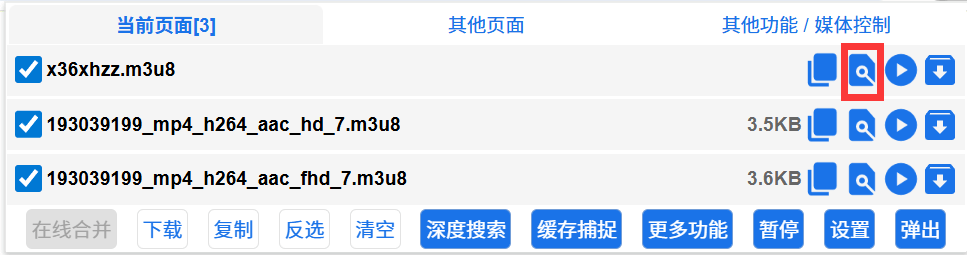
When an m3u8 resource is captured, a parse icon will appear next to it. Click it to enter the m3u8 parser.
Merge Download
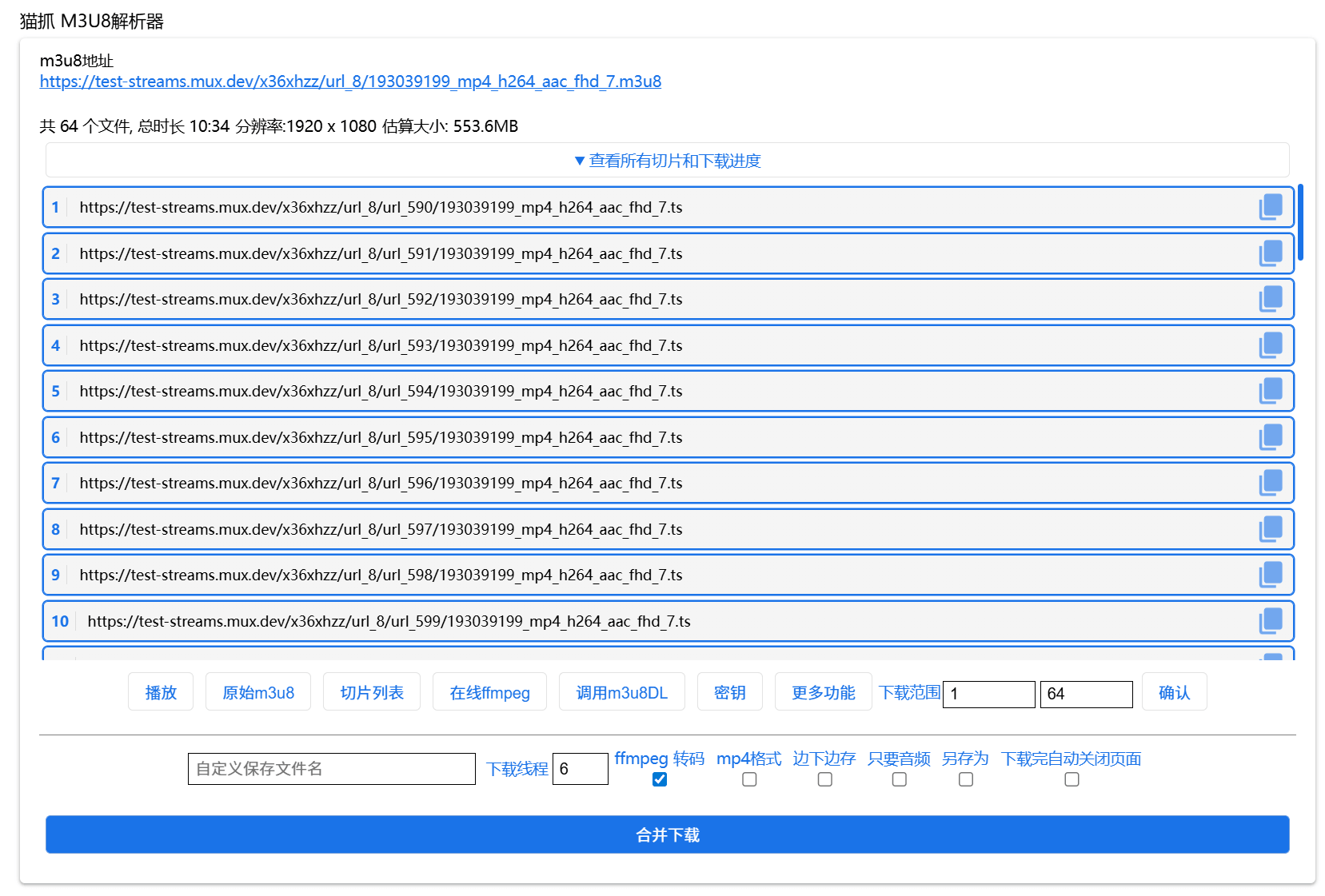
Cat Catch has a built-in simple m3u8 segment merge function that can merge and download m3u8 resources from most websites.
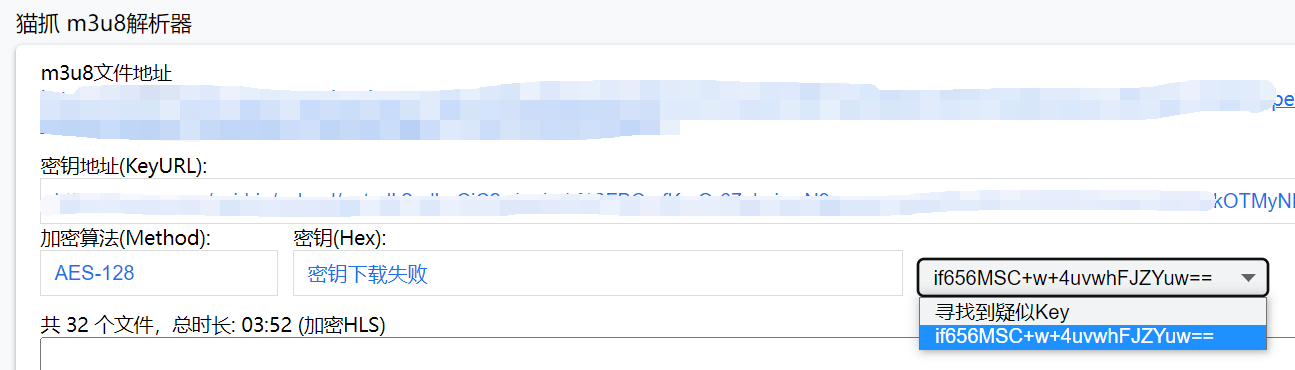
Found Suspected Key
Using the Deep Search script or Tampermonkey script can automatically collect suspected key data. If suspected key data is collected, this option will appear. Select one to auto-fill the custom key input box. Deep Search
Verify Key
Automatically try keys one by one until the correct key is found. If verification fails, there may be issues with the verification process. It is still recommended to manually try each one. Select a key and merge download 1 segment to check whether it can play normally, until you select the correct key.
ffmpeg Transcoding
After downloading, jump to the online ffmpeg website for transcoding. When checked, Stream Download cannot be used.
INFO
Due to WebAssembly limitations, online ffmpeg can currently only process videos up to 2G in size.
mp4 Format
Cat Catch has a built-in extremely simple mp4 transcoder. If this option is checked, the merged file will be converted to mp4 format. Only TS to MP4 is supported. If transcoding fails during the process, binary merge mode is automatically used. Please use third-party software for transcoding.
INFO
Merge download and format conversion are performed in memory. Insufficient computer memory may cause the page to crash. It is recommended to prioritize ffmpeg transcoding
Stream Download
Through streaming download, download and clear memory simultaneously, solving the problem of insufficient memory for large file downloads or browser limitations. Firefox does not support this yet. When checked, online ffmpeg transcoding cannot be used. For live recording, it is recommended to check this option.
Audio Only
Only save audio, implemented via the transcoder. You need to check mp4 Transcoding and the final format is still mp4.
Save As
After download, a save dialog will pop up. Select the directory you want to store in or change the saved filename.
Data Preprocessing
Some video resources use image format disguise. You need to check Data Preprocessing to strip out image data.
Auto Close Page After Download
Close the parser page after download is complete. If you use the online ffmpeg web transcoding service, it will also be closed.
Key - Custom Key
Some websites' KEYs are not in the m3u8 file, and Cat Catch cannot decrypt and merge them. You need to find the KEY yourself and fill it in or upload a KEY file. You can fill in base64, hexadecimal, or the URL address of the key file.
INFO
Currently, only AES-128-CBC encrypted resources are supported. If you encounter ChaCha20 / SAMPLE-AES-CTR or other encryption methods, please use third-party tools.
Download Range
Select the segment range you want to download. If the m3u8 has the #EXT-X-MAP tag, videos not starting from 1 may not play. Supports time format 00:00:00. Click Confirm after modification
Record Live Stream
Live m3u8 will show this feature. The parser listens to m3u8 and continuously saves the video to memory until the Stop Recording button is clicked. Long-time recording is not recommended. It is recommended to check Stream Download to avoid excessive memory usage and page crashes caused by long-time recording.
Download Thread Count
How many segment files to download simultaneously. Some websites have limits on the number of concurrent file downloads. Too large a value will cause download errors, so the thread count needs to be reduced appropriately. Currently, Chrome browser limits the maximum concurrency to 6. Thread counts greater than 6 will enter a waiting state and will not work.
Invoke m3u8DL Download
Cat Catch already supports the protocol for invoking N_m3u8DL-RE. For details, see the tutorial m3u8dl Custom Protocol
More Features - Download Segment List
Use this button to download all video segment links to a txt notepad file. Use local software to batch download and merge.
More Features - get Parameters
Some websites require adding the same parameters as m3u8 to ts before downloading. Click this button to add or remove parameters of the m3u8 file to ts files.
More Features - Set Request Headers
Some websites require corresponding request headers to work properly.
More Features - Send to Online ffmpeg
After merging, directly send to the online ffmpeg website file area without automatically performing the merge download operation.
Parser Entry
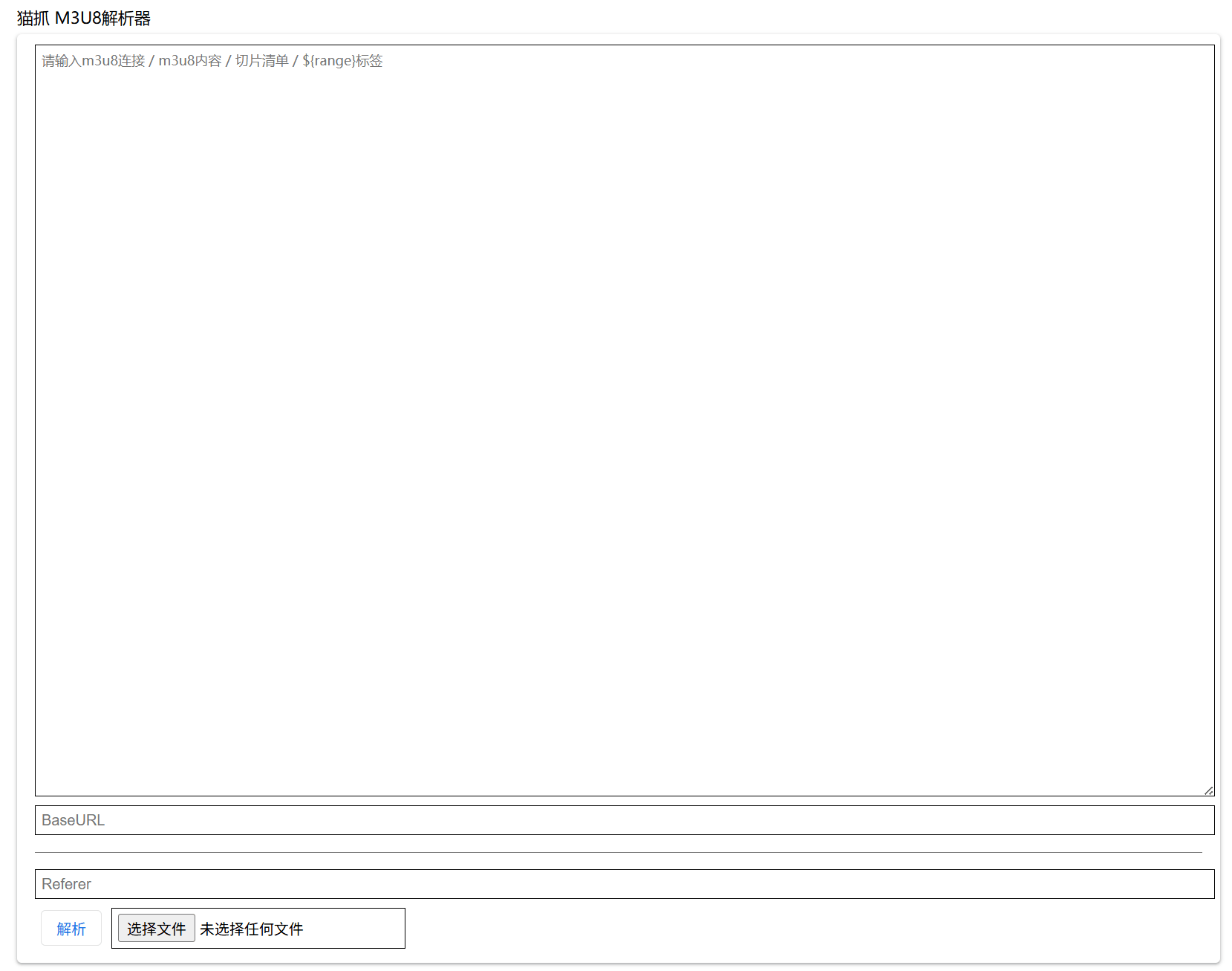
Enter the parser entry via More Features - M3U8 Parser.
Supports input of m3u8 links / m3u8 file content / list of segment URLs for parsing.
BaseURL
If the segments in the m3u8 content you entered are local files (without URLs), you need to enter BaseURL to obtain remote segment files.
${range} Tag Support
Usage: ${range:1-10} generates numeric characters from 1 to 10.
For example, fill in https://bmmmd.com/${range:1-3}.ts and click parse to generate
https://bmmmd.com/1.ts
https://bmmmd.com/2.ts
https://bmmmd.com/3.ts
Supports a second parameter to force the number of digits, padding with leading zeros. For example, fill in https://bmmmd.com/${range:1-3,3}.ts and click parse to generate
https://bmmmd.com/001.ts
https://bmmmd.com/002.ts
https://bmmmd.com/003.ts
Supports end index probing, using ? to replace the end index. For example, fill in https://bmmmd.com/${range:1-?}.ts and parse. It will start from 1 and try to get segments until it gets 404 or an error.
WARNING
Unknown index probing allows a maximum of 9999 segments.
Referer
For all the above operations, if errors occur, you should input the Referer request header data in advance. Entering a URL only sets the Referer.
To set other request headers, use JSON format, for example
{"origin":"https://www.bmmmd.com","referer":"https://www.bmmmd.com/test.m3u8"}